

…releases ways to save data, personal information
Written by Olushola Okunlade
In line with its mandate of (PIE) Protecting, Informing and Educating consumers, the independent National Regulatory Authority for Telecoms Industry advised on smart streaming on HD due to more data depletion to resolve complaints and ensured resolution as necessary.
Nigerian Communications Commission (NCC) again advised subscribers to stream smartly on their data usage to reduce incidences of data depletion by turning off background data usage for specific apps and switching off automatic updates.
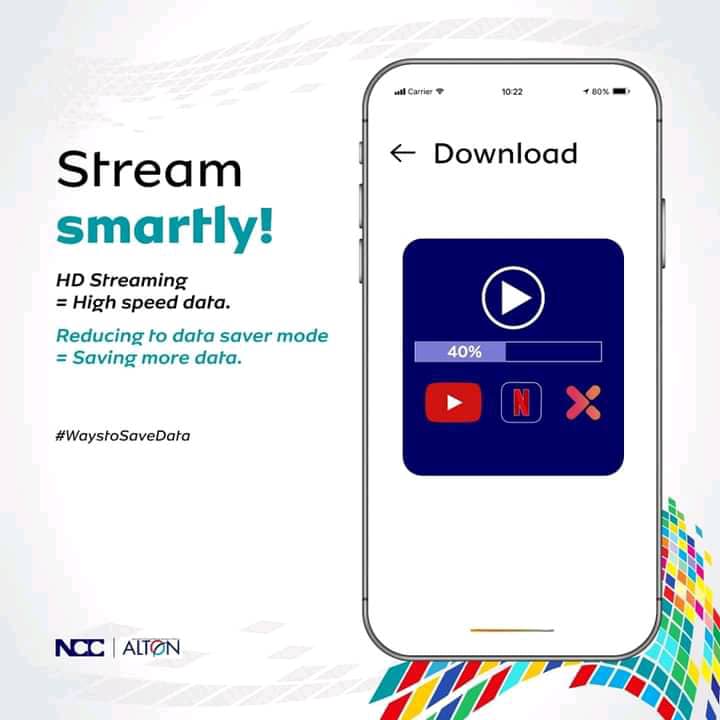
The Commission said when subscribers stream smartly on HD, they use more data but while on data saver mode, they save more data. It is good to share love and data, but not hotspot password. Secure your data and enjoy it for longer.
According to NCC, one of the main reasons for data depletion is excessive usage. If you use your phone to stream videos or music, download large files, or use data-intensive apps for a long time, your data limit can quickly be depleted. Other reasons for data depletion could be as follows:
- Background apps: Some apps continue to consume data even when you’re not actively using them. Background data usage can quickly add up and deplete your data allowance.
- Excessive usage: One of the main reasons for data depletion is excessive usage. If you use your phone to stream videos or music, download large files, or use data-intensive apps for a long time, your data limit can quickly be depleted.
- Automatic updates: Automatic updates for apps, operating systems, and other software can also use up a significant amount of data.
- Location services: GPS and other location services can consume a lot of data, especially if you use navigation apps like Google Maps.
- Advertisements: Some apps display ads that use data. These ads can consume data even if you don’t interact with them.
- Roaming: If you travel abroad and use your phone, you may be subject to data roaming charges, which can quickly add up and deplete your data allowance.
- Malware: Malware and viruses can consume data without your knowledge. If you suspect that your phone has been infected, it’s important to remove the malware as soon as possible.
To reduce incidences of data depletion, you can monitor your data usage, turn off background data usage for specific apps, and switch off automatic updates. You can also use Wi-Fi whenever possible and avoid using data-intensive apps for extended periods.
Recently, NCC released solutions to data depletion
The following are various ways of preventing data depletion on mobile phones.
- Monitor your data usage: Check your data usage regularly to see how much you’re using and adjust your usage accordingly. Most phones have built-in data usage trackers, or you can use third-party apps to monitor your usage.
- Use Wi-Fi: Connect to Wi-Fi whenever possible to avoid using your cellular data. You can connect to Wi-Fi at home, work, or in public places like cafes or libraries.
- Turn off automatic updates: You can turn off automatic updates for apps, operating systems, and other software. Instead, update them manually when you’re connected to Wi-Fi.
- Restrict background data usage: Some apps continue to consume data even when you’re not actively using them. You can restrict background data usage for specific apps to prevent them from using up your data allowance.
- Download content for offline use: Download movies, TV shows, music, and podcasts for offline use when you’re connected to Wi-Fi. This way, you can watch or listen to them without using your data allowance.
- Disable location services: GPS and other location services can consume a lot of data. You can disable location services for specific apps or turn them off altogether.
- Install ad-blockers: Ad-blockers can prevent ads from consuming your data allowance.
- Consider a larger data plan: If you consistently find yourself running out of data, you may want to consider upgrading to a larger data plan.
By following these suggestions, you can reduce the amount of data you use and prevent unnecessary data depletion on your mobile phone. For more on smarter data usage visit: https://consumer.ncc.gov.ng
The Commission urges telecom consumers to get the best from their data, check out the Apps consuming most data and stay in control. To verify Apps before using; get started, go to Settings, select Apps, and Manage Apps.
NCC believes that it is necessary to empower consumers with information on data consumption and usage to enable them get better value from their data subscriptions and to get prompt redress where necessary.
To achieve these objectives, NCC have developed the following Frequently Asked Questions (FAQs) with regards to data consumption and usage:
1. What is Internet Data Usage?
Internet data is a service provided by telecom service operators to the end users to enable them access the internet. The speed of the access and the nature of activities which the consumer can carry out often depends on the nature of the technology in use. Access technologies are usually classified into “Generations” to denote their age and characteristics, as follows:
a) 2nd Generation Technology (i.e. 2G) is circuit switched technology which is relatively low-speed GPRS, EDGE mode or their equivalents;
b) 3rd Generation Technology (3G) is packet and circuit switched and is in HSPA, HSPA+ m ode or their equivalents;
c) whilst, 5th, 4th Generation Technology (5G, 4G) is packet switched technology, that is, LTE, LTE-A mode or their equivalents.
Each of these technologies provides different speeds and protocols for using the internet. Newer generations of phones are usually designed to be backward-compatible, so a 5G 4G phone can communicate through a 3G or even 2G network.
2. What does G stand for?
As explained above, “G” stands for “GENERATION”. When you connect to internet, the speed of your internet access is dependent upon the signal strength and the access technology. The technology is shown in alphabets like 2G, 3G, and 4G, 5G etc. right next to the signal bar on your mobile phone’s home screen.
3. Does the usage of 2G, 3G or 4G have impact on data usage? Can this also lead to depletion of data?
Absolutely, Yes. The higher the generation, the higher the speed, and consequently the faster your mobile data is consumed.
4. What is Mobile Data?
Mobile data is internet content accessed by, or delivered to your phone over a wireless/cellular (i.e. mobile) connection. When you purchase mobile data plans, you are entitled to a certain amount of data over a fixed period of time. You can also access the internet through Wi-Fi connections depending on whether you have access to that particular Wi-Fi network. With mobile data however, you can use the internet as long as your phone can detect your network’s data signals, and you have an active data plan on that network. Therefore, the mobile data is what allows your phone to get online when you are away from Wi-Fi.
5. What causes Data Consumption/Usage/Depletion?
Your data is used whenever your phone connects to the internet. The following activities are the most common uses that reduce your data:
● Sending and receiving emails,
● Downloading and uploading files (pictures, documents, videos, etc.) –
the larger the file, the more the data consumption,
● Browsing the internet – the more pictures, videos or graphics on the
websites visited, the more data is used,
● Instant Messaging – like WhatsApp, Facebook Messenger, Snapchat, etc.
● Streaming music/ videos on YouTube, Hulu, Netflix and other channels,
● Games – games use a lot more data than most people imagine, due to
the intense graphics and algorithms that power them,
● Social media applications such as Facebook, WhatsApp, Twitter,
Instagram, etc.
● Video-chatting and conferencing applications like Zoom, Skype,
WhatsApp Video, etc.
6. How do Internet Service Providers (ISPs) estimate data usage?
Your data consumption depends on a large number of factors. As mentioned above, the nature of technology (2G, 3G, 4G or 5G), the quality of the network, the speed of download, the type of websites you visit, the specifications of your handset, and so many other factors contribute to your data consumption.
For instance, two handsets can use different amounts of data to download or stream the same video on YouTube!
The following approximations give an estimation of data usage. Please note that these are mere estimations provided by an operator based on typical/average file sizes.
1 Hour of Social Media = 200mb
1 Hour of Browsing = 60mb
1 Hour of Instant Messaging with video calls = 140mb
1 Hour of streaming music = 60mb
1 Hour of Streaming Videos = 350mb (Non HD) and 1GB (HD) 1 Email sent or received with attachments = 500kb
1 minute of connected game play = 60mb
7. What activities use up the most data?
As you will notice from the answer to question 6 above, the most common activities (inclusive of uploads and downloads) that use large amounts of data are as follows:
● Downloading and watching videos online especially on sites Like Netflix and YouTube.
● Sending and receiving emails with large attachments
● Software updates and virus definition u pdates
● Going on Social Media sites such as Facebook, Snapchat, Instagram,
Twitter, Tik Tok etc.
● Playing Games on a website or via a downloaded app
● Remote security cameras
● Data sent between sites on a Virtual Private Network (VPN).
● Mobile App online Notifications from social media, social marketing
sites etc.
8. How can I use my mobile Data wisely or avoid Data wastage?
There are number of things you can do to manage your mobile data usage so that it does not deplete quickly, but instead last longer. The following are examples:
● Disable mobile data when it is not needed
● Use data compression in your browser
● By reducing video streaming quality from video sites such as YouTube,
Netflix, Hulu, Showtime – you can use from 1080p or default/ auto setting to 240p for optimal viewing and lower data consumption. This may however affect the quality of your experience.
● By deactivating all cloud storages except when / where necessary.
● By not breaking or interrupting downloads in-between video sessions.
● Turn off automatic updates for apps for mobile devices, laptops and
personal computer.
● Use Wi-Fi hotspots wherever you can to save your mobile data – you
should however note that there are data security risks to using open/free Wi-Fi connections. Your passwords and personal data are often exposed on such connections.
● Limit sending and receiving files and push notifications
● Delete email messages that won’t send and are no longer required.
● Send big files when connected via Wi-Fi or use Wi-Fi for big files
● Monitor time spent on Social Media
● Closing apps when you’re done using them can also reduce data usage
● Set up usage alerts
9. How can I use my phone to manage my data usage to avoid Data wastage?
Your smartphone’s default settings are typically configured to get the best possible experience, which comes at the cost of your data usage. You can change those settings to manage your data usage in the following ways:
By Manually Capping Mobile Data: To do this,
Go to Settings > Network & Internet > Data Usage > Billing Cycle
By Manually setting Data Saver
Activate data saver: Locate “Data Usage” on your device and activate
“Data Saver”. This will help cut down your data usage by
preventing apps from using data in the background. Disable auto-update on your App store
Disable multimedia auto-download on your social media apps Turn off your data when it’s not in use.
Stop Apps from automatically Synching: to do this,
Go to Setting > Apps & notifications > Select App > Select Disable Background Data
Don’t Stream it, Download It.
It is more advisable to download video or audio content to save
data than to stream it online.
● Set data alert notifications on your mobile phone.
● Avoid multiple configuration of the same email address on your
mobile phone. For instance, do not configure your Gmail address on your email app as well as Gmail app at the same time on the same mobile phone.
10. How to monitor and limit data usage on an Android phone:
a. USE DATA SAVER MODE
If you have Android 8.0 or later, your phone should come equipped with Data Saver mode, which kicks in when you are not on Wi-Fi and ensures that apps and services that are not being actively used won’t be able to stream data in the background.
It is very easy to turn Data Saver mode on and off. To do this,
● Go to Settings
● Go to “Network & internet” > “Data usage”
● Select “Data Saver.” Toggle “Use Data Saver” on.
There may be specific apps that you want to allow to use background data, even when Data Saver mode is on. For example, you may want to get Twitter notifications no matter where you are. To do this,
 Go to the “Data Saver” page (see above) Tap on “Unrestricted data”Scroll down to any apps that you want to enable for background data use even when Data Saver mode is on. Toggle them on.
b. SET A DATA LIMIT
You can set your phone to issue a warning if you’re nearing your data limit before the end of your monthly billing cycle. You can even set a limit beyond which your phone will not use any data. To do this,
Go to Settings Go to “Network & internet” > “Data usage” > “Data warning &limit”
Tap on “App data usage cycle.” This will let you set the day that your account starts it’s monthly cycle. Back up and toggle “Set data warning” on. You can then enter the data limit – say, 4GB — that you want for your phone.
11. How do I Limit Data Usage on Apps?
A. YouTube:
● Open the YouTube App.
● Tap on the profile icon at the top right corner
● Select Settings.
● Click on General.
● Turn on “Limit Mobile Data Usage”.
B. Play Store (Android):
● Go to the Google Play store.
● Click on Menu & go to Settings.
● Click on Auto-update apps.
● Select “Auto-update apps over Wi-Fi only”.
● You also have the option to choose “Do not auto-update apps
C. IOS (Apple: I-Phone) :
● Go to settings on the I-phone
● Click on iTunes and App Store
● Got to Mobile Data Option
● Turn off ‘Automatic Updates’
● Or you can turn off the apps that you don’t want automatic updates.
● You can also click on App downloads and select the preferred option in regards to app downloads.
D. Instagram:
● Open Instagram options.
● Go to Accounts.
● Go to Settings.
● Select Cellular Data Use.
● Then tick Use Less Data
E. WhatsApp – Deactivate Auto-download
● Go to the “settings” section in your WhatsApp APP.
● Click on “Data and Storage Usage”.
● Select Media Auto Download option.
● Deselect all options under “When Using Mobile Data”.
● You can also enable low data usage for WhatsApp Calls
F. Facebook – Switch Off Auto Play
● Go to your Facebook option icon (the three horizontal bars at the top right corner).
● Click on App Settings (Under help & settings).
● Click on AutoPlay.
● Select never auto play videos.
● In addition, you can activate the “Data Saver” option.
● Navigate to the option icon.
● Then go to settings & Privacy.
● Select Data Saver.
● Toggle the data saver on.
12. Why does my data drop significantly while watching Videos?
Video naturally uses more data. However, if you are downloading, select “medium resolution” to manage your data usage as their sizes are significantly lower than “high definition” videos. Also live streaming video uses more data. Therefore it is preferable to download the video on your local device and watch afterwards.
13. Why does my data disappear even when I am not online?
Data consumption can occur on your account with or without your knowledge.
● With your Knowledge: Data is consumed when you open web pages, when you browse, while downloading/uploading files, streaming videos or doing any of the other activities mentioned above.
● Without your Knowledge: Most smartphones are configured to automatically search for, and download software updates, app synching, uploads, updates, etc. Your data is therefore consumed by your phone without your knowledge when there are software upgrades and updates to apps on your device. To stop this from happening, you have to disable automatic updates as demonstrated in Question 11 (above).
14. Since I migrated to 5G network, my data doesn’t last for long?
5G networks are generally faster than 4G, 3G. This increased speed brings about usage of more applications making the data to deplete faster. 4G is configured for fast transfers of heavy amounts of data – OS updates, synching of photos and videos, streaming on high definition all take place much faster than on earlier generation networks. Also, most of the popular media platforms are designed to provide you with the best user experience, so they would automatically present you with the highest quality videos (HD) once they recognise that you are on a fast connection.
15. Is it possible that someone is stealing my data?
This could be because your hotspot or Wi-Fi password might have been compromised. You should therefore ensure that your password is secure at all times. You should also be careful of who has access to your phone since data can be shared or transferred without your knowledge.
16. Can I Check my Data if I Suspect that Something is wrong?
Yes. Most smartphones allow you to check your usage – you can even set a cap as explained in Question 9 (above). Also, there are some free applications that monitor your usage – these are however approximations and may record significantly different amounts from your actual usage.
17. Why do data plans with “unlimited access plan” get exhausted before the end of the month/plan period?
Unlimited data plans usually have restrictions embedded in the terms and conditions of service. It is advisable to check terms and conditions relevant to your specific data plan. Thus, if you encounter such problem, you need to check the terms and conditions of service. However, if what you experience is contrary to the terms and conditions of service applicable to your data plan, you should contact your service providers for prompt resolution within 24-48hrs. If you are not satisfied with the resolution, then contact NCC for necessary assistance.
18. Why should network service provider display pop up messages to ask if the recharge is to be used for data or voice?
The pop up message is basically a method of easing the process of converting your airtime to data or leaving it for voice services. This is intended to empower you to decide how you wish to use your recharge. This should be ignored or cancelled by consumers who are not interested.
19. Why is it that additional data given to subscribers after making subscription to data promos, get easily exhausted?
The terms and conditions of the promo data must be noted and understood
by the consumers before subscribing for any such promo.
20. What brings about fluctuation in internet access after making data subscription?
This may be due to network problem and/or settings of your phone. For example if there is no network in your location or the strength of network is weak or unstable, then there will be fluctuation. Also, if your data SIM is off you may not be able to use the internet unless you are connected to Wi-Fi.
21. Does speed or time contribute to depletion of data?
Yes, it does. The faster the speeds, the more data bundles will be utilised. Logically, the faster the speed, the quicker you can complete a task such as downloading or uploading a file. That means that you’re able to do more, and consume more data, in the same amount of time if you have fast speeds. You naturally do more and probably use higher quality while streaming videos.
22. Why is it that monthly subscriptions do not last a whole month?
The monthly subscription usually comes with a data size or value and once the value is exhausted before the month end, you would be unable to access the internet. So, what it means is that the data allowance can be used over one month, but it can be finished before one month, depending on how you use it.
23. What is the reason behind getting a deducted data value when you subscribe for data?
This could happen where the Consumer has borrowed airtime or data from the network service provider. It is important to read and understand the terms and conditions of the services rendered before you start using it. However, if you have any issues, be sure to complain to your service providers immediately and escalate to the NCC for redress if the matter is not satisfactorily resolved.
24. Why do Network Service Providers usually deduct from the normal data subscription while leaving the bonus data untouched?
Again, you need to check the terms and conditions of your package. Bonuses are usually given to stimulate usage and the network may specify the terms on which you can access the bonus. If your experience is different from what was promised, then lodge a complaint to your service providers and escalate to the NCC for redress if the matter is not satisfactorily resolved.
25. Why does the shared data among consumers exhaust quickly unlike the direct subscription?
The shared data and individual data are usually charged at the same rate. You must note that you cannot control usage of data you share with others.
26. Apart from the fact that network quality unlocks the full functionality of applications on a device, download rate is also very fast, what can be done to avert this?
This can be averted by reducing activating data saver to reduce the speed of the data or step down the technology from higher generation with high speed or throughput to lower generation with low speed or throughput.
27. What brings about decreases in the balance of data when all that is done is mere internet surfing without downloading heavy files?
Many websites are very interactive, and logging on to these sites often results in data being unknowingly consumed by video adverts running on the page while one is browsing a specific article. This is another reason that accounts for faster data depletion.
28. Why should data deplete when the network doesn’t permit usage and it expires at the end of the month?
If you experience this type of problem, please check the terms and conditions
of your service and contact your Service Provider for prompt solution.
29. How do I Seek Redress if I am not satisfied with my
Data Usage?
● Your first point of call is your service provider. The NCC has mandated all service providers to provide multiple channels for their consumers to complain, and that they should ensure prompt resolution of complaints within specific timelines. NCC sanctions operators who fail to meet these timelines.
● The service providers can be reached on their free 24/7 customer service short codes: 9mobile – 200; Airtel – 111; Globacom – 121; and MTN – 180.
● When you complain to your service provider, demand a “trouble ticket”: the ticket provides evidence of the time/date/nature and timeline for the resolution of your complaint.
● If your complaint is not resolved within the stated timeline, or if you are not satisfied with the resolution, then please report to the NCC using any of the following channels:
● Call toll free – 622
● Email – consumerportal@ncc.gov.ng
● Twitter – @consumersNCC
● Instagram – @ngrcomcommission
● Facebook – Nigerian Communications Commission
● Be sure to include your trouble ticket – NCC will then take the matter up with the network service provider to ensure speedy resolution.



